Why do we need MTK Bypass Tool?
Service shops and power users rely on MTK Bypass Tool whenever MediaTek security blocks SP Flash Tool or other low-level utilities. Typical reasons to keep it on your bench:
Bypass Secure Boot/Auth
Clears the SLA/DAA gate that otherwise stops scatter flashing and service-mode access until vendor auth files are supplied.
Supports Unlocking
Unblocks common shop jobs: FRP cleanup, network/SIM work, and demo-unit conversion on many Vivo, Oppo-family, and Huawei MTK devices when paired with a flasher.
Partition Dump and Backup
This allows users to read and save sensitive or critical partitions - such as the preloader, PGPT (partition table), EXT_CSD, and USERAREA - for backup or forensic analysis.
Access to Meta mode
Opens a path into Meta-related workflows for IMEI writing, NVRAM/NVDATA repair, and network resets that ADB or fastboot alone cannot finish.
Recover soft-bricked or bootloop devices
Restores a usable USB channel on bootloop or soft-brick units so you can reflash stock firmware and bring the phone back online.
Supports development and testing
Useful for custom-ROM builders and researchers who need firmware extracts or controlled tests on MediaTek hardware.
Download MTK Bypass Tool for Windows
How to Install MTK Bypass Tool on Windows?
Use these steps to set up the current MCT build on a Windows PC and prepare a MediaTek phone for flashing.
- Download and extract the MTK Bypass Tool on the Computer.
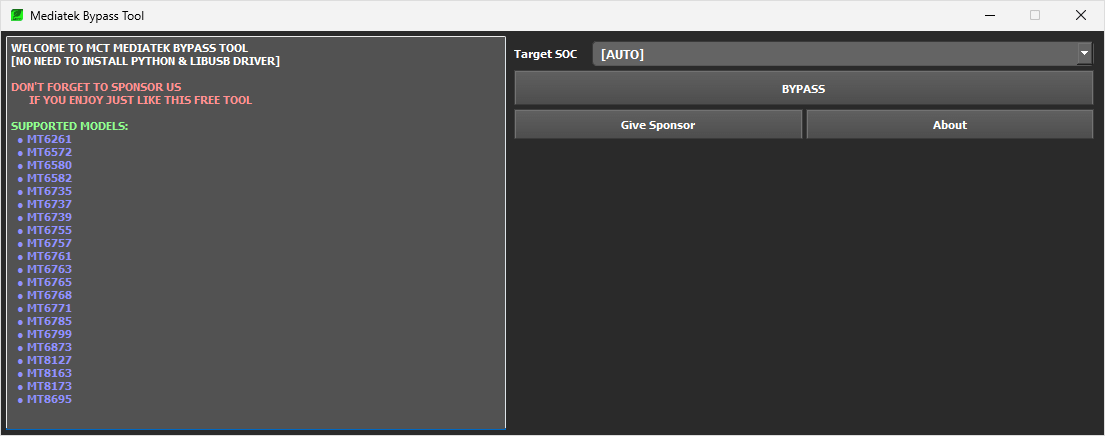
- Once the MTK Bypass Tool package is extracted, you will get the MTK Bypass Tool.exe file. Double-Click on the MTK Bypass Tool.exe file to launch it.
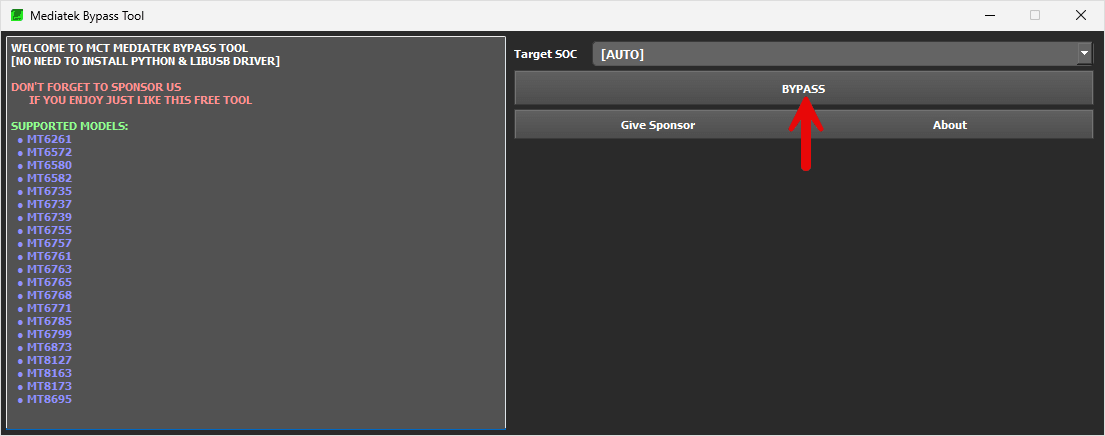
- Click on the Bypass Button.
- Power Off your MediaTek Device, and Press and Hold the Volume UP and Down buttons and Connect the Mobile to the computer using the USB Cable.
- Once the device is detected by the tool, it will automatically disable the Auth protection from the device.
- Launch the SP Flash Tool and Load the Firmware that you want to install on your MediaTek Device.
MTK Bypass Tool – Help and Information
What is MTK Bypass Tool?
MTK Bypass Tool is a compact Windows utility from the MCT Team for MediaTek Android devices. Repair techs use it to bypass Secure Boot/SLA-DAA checks so service software can talk to the handset at the BROM level.
For which platforms are MTK Bypass Tools for Mobile Phones available?
The Windows build targets desktop PCs. For best results, use 64-bit Windows 10 or Windows 11. macOS and Linux are not supported in this package.
Is MTK Bypass Tool Free?
Yes. The MCT Team provides the zip at no cost; download it, extract it with the page password, and run it without a paid license.
Is MTK Bypass Tool Safe?
The archive is intended for repair workflows and is safe when you verify the download and follow correct BROM steps. Misuse or wrong firmware can still damage a phone, so proceed carefully.
How often is the MTK Bypass Tool updated?
MCT Team ships updates when new MediaTek platforms need coverage or when USB/driver issues are reported. Check this site for V4 and keep older builds bookmarked from the archives.
How to use MTK Bypass Tool?
Launch the exe, enable Disable Auth, power the phone off, hold both volume keys, then plug in USB. When the tool reports success, open SP Flash Tool (or another MTK flasher) and load your scatter/firmware as usual.
Does MTK Bypass Tool support SP Flash Tool?
Yes. After a successful bypass, SP Flash Tool can flash scatter-based firmware on MediaTek Android phones and tablets without waiting on vendor auth files.
Does MTK Bypass Tool help to remove FRP from MediaTek devices?
Not by itself. FRP is a Google account lock. Use MTK Bypass Tool to open the flashing channel, then complete FRP removal with SP Flash Tool, Miracle Box, or another package that includes an FRP-ready firmware workflow.