


MTK Bypass Tool V2 refines the MCT Windows bypass for MediaTek devices, helping shops clear SLA/DAA barriers before SP Flash Tool sessions.
Choose V2 when a device or written procedure specifically calls for this revision rather than the newest build.
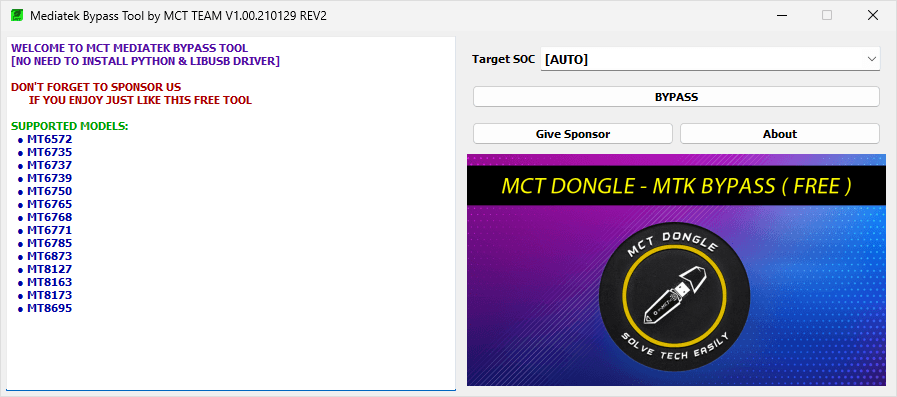
MTK Bypass Tool V2 for Windows
The MTK Bypass Tool V2 enables users to bypass MediaTek authentication protections on supported devices, allowing seamless communication with flashing tools in BROM or Preloader mode. It supports turning off auth for firmware flashing, IMEI repair, FRP bypass, and unbricking MTK devices.
There may be various situations where it is necessary to use the MTK Bypass Tool V2 to establish a connection and perform operations on a device. Such situations may include:
- Bypassing SLA/DAA authentication for SP Flash Tool usage.
- Flashing stock or custom firmware on protected MTK devices.
- Removing FRP (Factory Reset Protection) locks.
- Repairing IMEI, unbricking devices stuck in bootloops, or performing other advanced repairs.
Download MTK Bypass Tool V2
| Name | MTK Bypass Tool V2 |
| Type | MCT MediaTek BROM Bypass Utility |
| Developer | MCT Team |
| File Name | MTK_Bypass_Tool_V2.zip |
| File Size | 11.93 MB |
| Version | V2 |
| Supports | Microsoft Windows (64-bit preferred) |
| Password | MBT123 |
Frequently Asked Questions
What is MTK Bypass Tool V2?
V2 is an updated MCT bypass utility aimed at MediaTek Android phones that refuse SP Flash Tool until authentication is disabled.
How do I use the MTK Bypass Tool V2?
Download and extract the tool. Install MTK USB drivers and optionally LibUSB/UsbDk. Run the executable (e.g., MTK Bypass Tool.exe), select Disable Auth, Power off the device, and connect it in BROM mode (usually by holding Volume Up + Volume Down + Power while connecting USB). Follow on-screen instructions.
Is MTK Bypass Tool V2 Free?
Yes. V2 remains a free community-style MCT download with no paid activation step.
Is MTK Bypass Tool V2 Safe?
Yes. MTK Bypass Tool V2 belongs on a dedicated service machine. Confirm the zip hash mentally by source, use short USB cables, and never unplug mid-flash.
Does MTK Bypass Tool V2 support SP Flash Tool?
Yes, MTK Bypass Tool V2 is primarily used to enable SP Flash Tool (and other MTK tools) by disabling authentication, allowing firmware flashing and other operations on protected devices.
Does MTK Bypass Tool V2 support FRP Bypass and IMEI Repair?
FRP wipe and IMEI repair remain multi-step jobs; V2 unlocks USB access so those tools can finish the work.
