


This MCT guide shows how to run MTK Bypass Tool on a Windows PC so MediaTek phones accept SP Flash Tool and related service software. You will prepare drivers, open BROM mode, disable authentication, then finish flashing, FRP, or IMEI work with your usual toolkit.
If Secure Boot or missing vendor auth files are blocking USB service mode, follow the checklist below for a clean first-time MCT session.
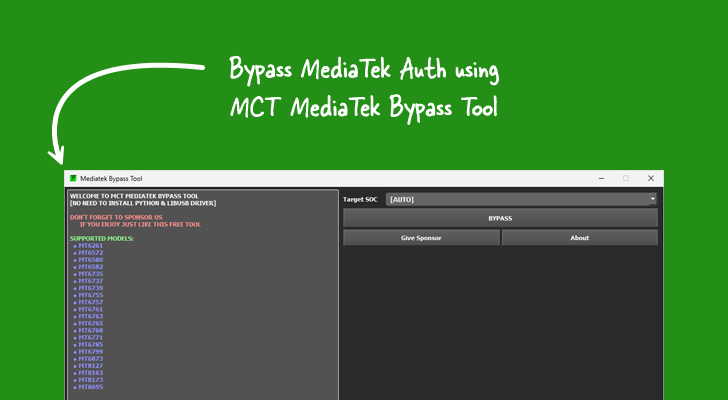
Contents
Requirements Before Starting
Before using MTK Bypass Tool, make sure you have the following:
- A Windows PC (Windows 10 or 11 recommended, 64-bit).
- MTK USB Drivers and LibUSB/UsbDk drivers installed.
- MTK Bypass Tool downloaded and extracted.
- Original USB cable for your device.
- Backup of important data (flashing carries risks).
- SP Flash Tool ready for use after bypass.
How to Use MTK Bypass Tool
Follow these steps carefully to successfully bypass authentication:
- Download and install the latest MediaTek USB VCOM drivers. Restart your computer after installation.
- Download MTK Bypass Tool and extract the ZIP file to a convenient folder on your desktop.
- Open the extracted folder and run the main executable (usually
MTK Bypass Tool.exe) as Administrator. - Power off your MTK device completely. For most models, hold Volume Up + Volume Down (or Volume Down only) and connect the USB cable to the PC while holding the buttons.
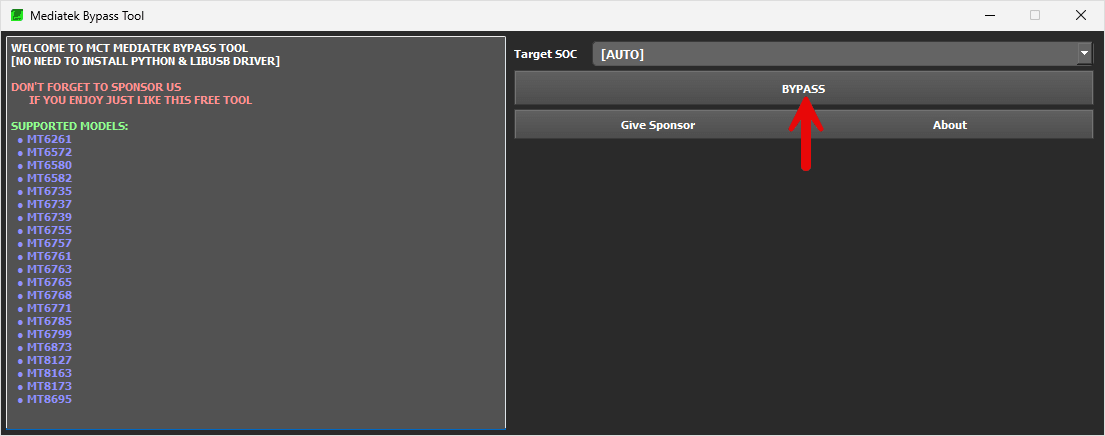
- In the tool, click on the Bypass button. The MCT Bypass Tool will detect the device in BROM mode and perform the bypass. Wait until you see a success message such as "Protection disabled" or "Now you can use SP Flash Tool".
- Keep the device connected and open SP Flash Tool. Load your scatter file and proceed with Download, Format, or Readback operations without needing an auth file.


Frequently Asked Questions
What is BROM Mode and why is it needed?
BROM (BootROM) mode is a low-level mode on MTK devices that allows direct flashing and bypass operations. The MTK Bypass Tool helps your device stay stable in this mode after disabling authentication.
Which devices are supported by MTK Bypass Tool?
It supports a wide range of MediaTek chipsets including Helio, Dimensity, and older MT67xx/MT68xx series from brands like Xiaomi, Redmi, Infinix, Tecno, Realme, Vivo, OPPO, and more.
Can I use it for FRP Bypass?
Yes, as a second step. Clear authentication with MTK Bypass Tool first, then finish FRP removal in SP Flash Tool or another MTK suite that supports your model.
The MCT Bypass Tool is not detecting my device. What should I do?
Ensure proper drivers are installed, try different USB ports/cables, and use the correct button combination for BROM mode. Restart the tool and PC if needed.
